Instrument No. 05
Every file, every deadline.
A pipeline that dates each contract period from the binding date and flags what is due this week, and a 32-step checklist that walks each file from executed contract to the 30-day check-in.
What is inside
Transaction Management Operating System
Settings
An as-of date, your contract form's usual inspection, appraisal and financing periods in days, and how much warning you want.
Pipeline
Up to 40 files: each period dated from the binding date, the next deadline named and counted down, and a Due soon or Past closing date flag.
File Checklist
32 tasks in five phases, from executed contract to the 30-day check-in, each dated from the binding or closing date and filtered by side.
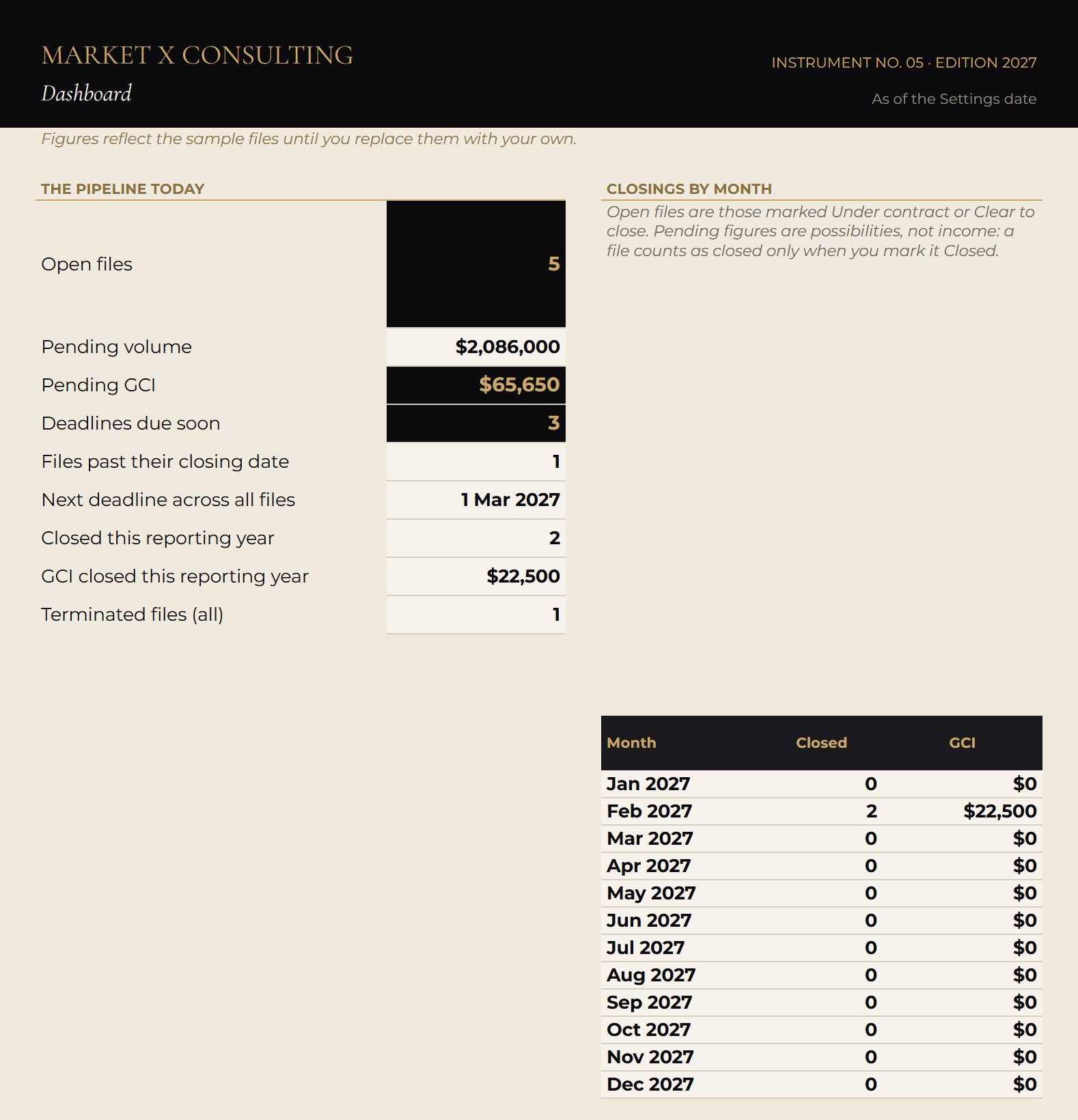
Dashboard
Open files, pending volume and GCI, deadlines due soon, and closings by month.
Guide
An 8-page designed guide: the five phases, set-up in fifteen minutes, printable checklists and a client update cadence.
The method
Questions
Which state does it work in?
Any. No deadline is assumed from any law: you enter the periods your contract gives, and the system only does the date arithmetic.
Calendar or business days?
It counts calendar days from the number you enter. Your contract form decides whether a period is calendar or business days, so check each calculated date against the signed contract.
Should client details go in it?
No. A street name or initials are enough. It never needs client names, account numbers or wiring instructions.
Instruments are planning and analysis tools. They are not legal, tax, accounting, financial or appraisal advice, and they do not promise or imply any income or result. Example figures are illustrations, not benchmarks.